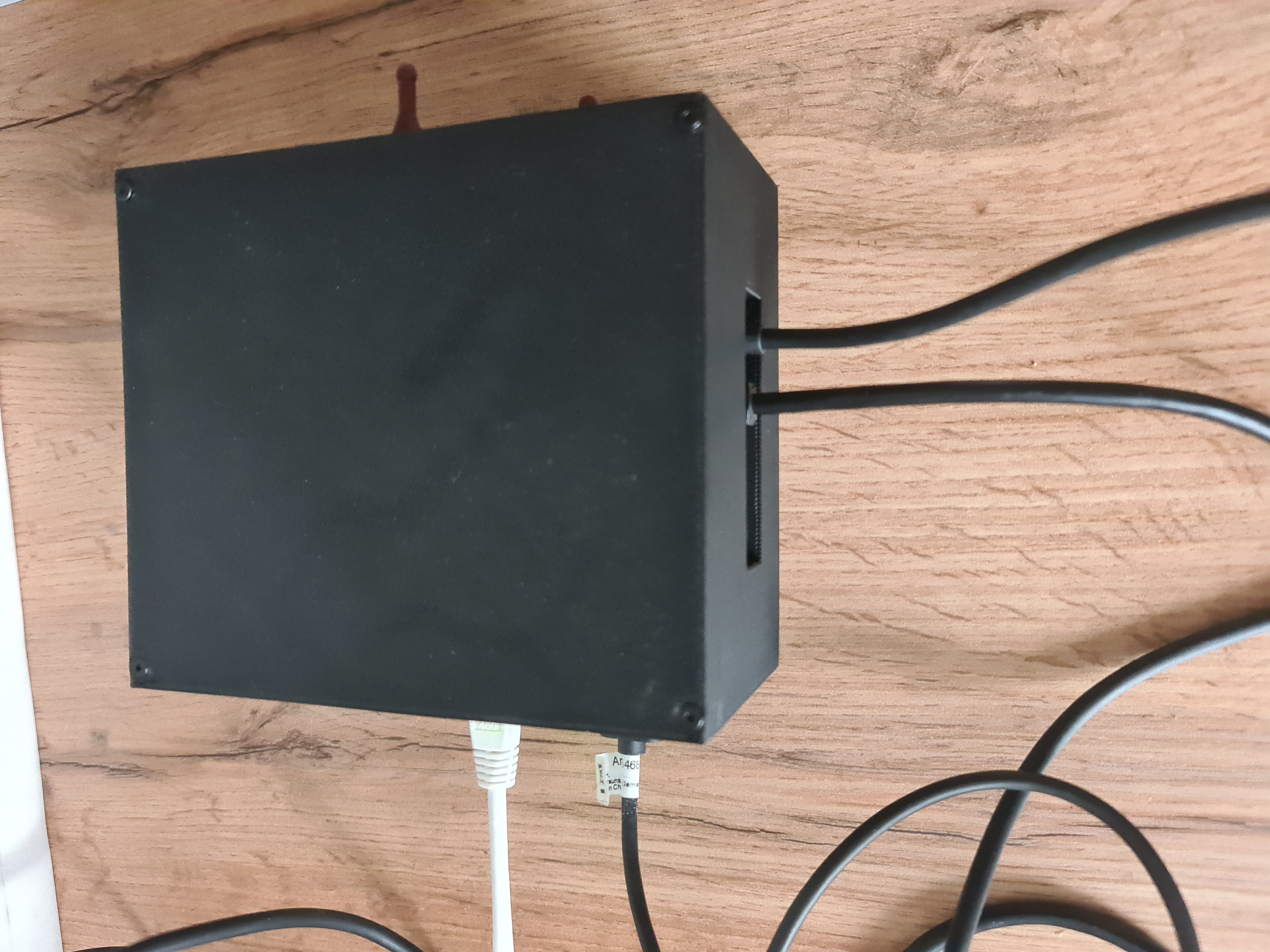
Radxa X4 N100 Cluster Build Log - Part 4: Benchmarks and Temperatures
Now to test the thermal performance (and a little bit the N100).
For the methodology:
- the case is closed and the fan is connected as described in the build log
- for load testing stress-ng is used for 240 seconds, for benchmarking sysbench multicore:
sysbench cpu --threads=4 --time=240 runand single core:sysbench cpu --threads=1 --time=240 run - the 4GB version of the Radxa X4 is used for the benchmarks
- lm-sensors is used to monitor the temperatures
cat /proc/cpuinfo | grep MHzis used to monitor the CPU clock speed- the bios is in the default configuration / has been reset to default
The following bash script will be used to monitor the temperatures and CPU clock speed until the target process exits:
#!/bin/bash

TARGET_COMMAND="$1"
DURATION="$2"
LOG_FILE="cpu_temp.log"

# Function to log CPU temperature and clock speed
log_cpu_info() {
    while ps -p "$TARGET_PID" > /dev/null; do
        # Get all temperatures of all devices
        TEMPS=$(sensors)
        # Get CPU clock speed of all cores
        CPU_CLOCK=$(cat /proc/cpuinfo | grep 'MHz' | awk '{print $4}' | xargs)
        # Log to file
        echo -e "$(date)\n\nCPU Clock Speed:$CPU_CLOCK\n\nTemperatures:\n$TEMPS\n-----------------\n" >> "$LOG_FILE"
        sleep 1
    done
}

# Start the target command in the background
$TARGET_COMMAND &
TARGET_PID=$!

# Start logging CPU info
log_cpu_info &
LOG_PID=$!

# if a duration is given, wait for the duration
if [ -n "$DURATION" ]; then
    sleep "$DURATION"
    # Kill processes
    kill "$TARGET_PID"
    kill "$LOG_PID"
else
    # Wait for the target command to finish
    wait "$TARGET_PID"
fi
The results
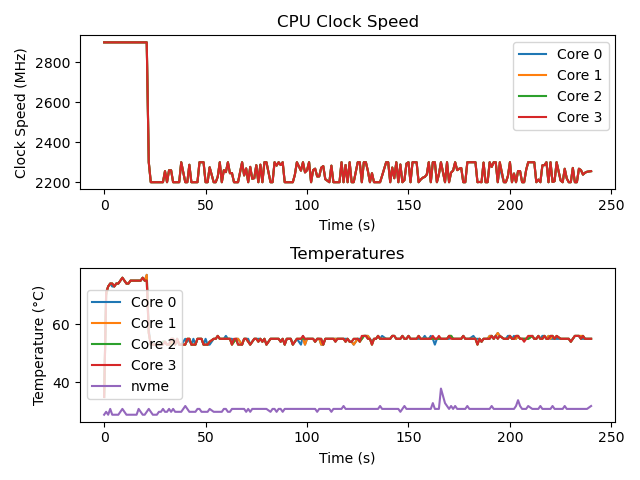
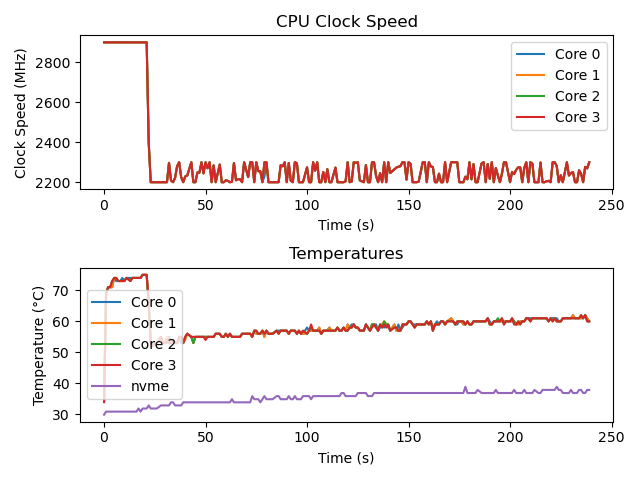
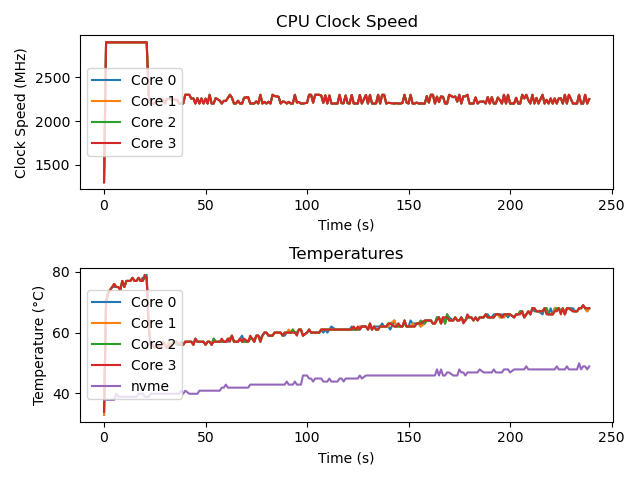
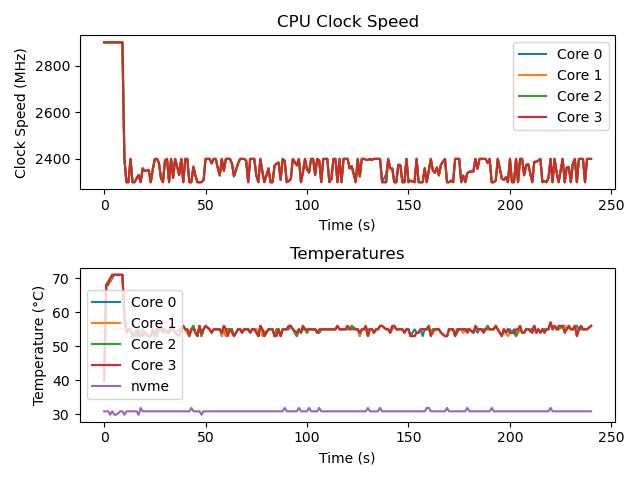
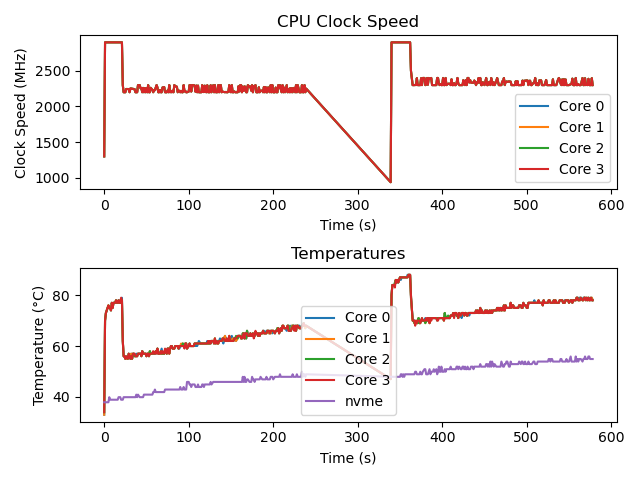
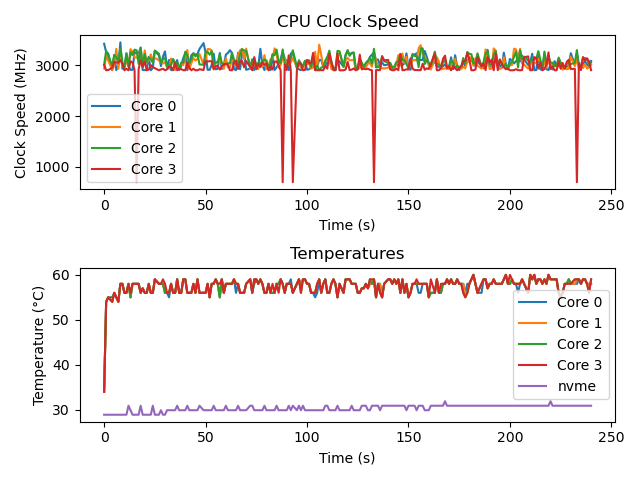
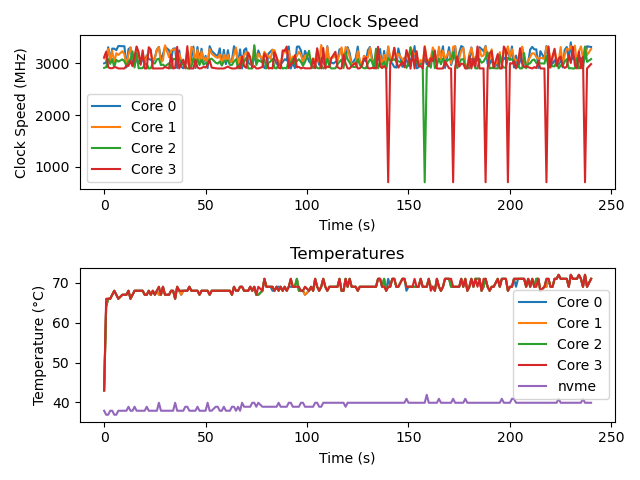
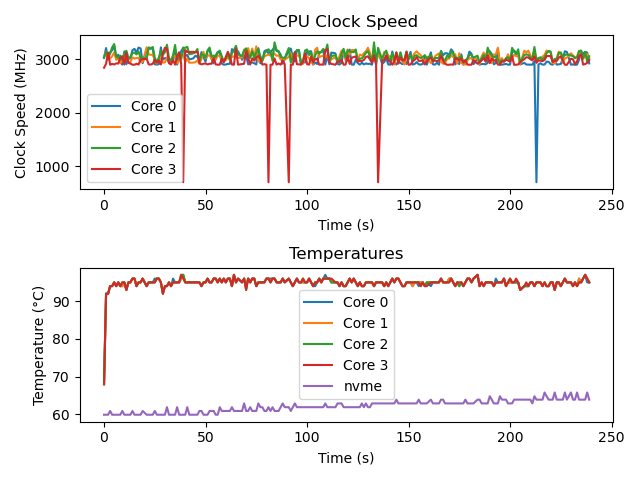
The plots were generated using Matplotlib. The data was not filtered or modified in any way, except for the axis labels and the title. The raw results can be found in the repository.
100% fan speed
40% fan speed
no fan
./measure.sh “stress -c 4” 240
./measure.sh “sysbench cpu –threads=4 –time=240 run”

./measure.sh “sysbench cpu –threads=1 –time=240 run”
Conclusion
The results seem fine to me. The differences are pretty obvious. The heatsink also got really hot, while running the “no-fan” test, so I think it is doing its job.
For the thermal performance I think it is alright looking at the no fan results.
I’m not sure how I will define the fan curve, but maybe that will come in another post.
Next up: Part 5